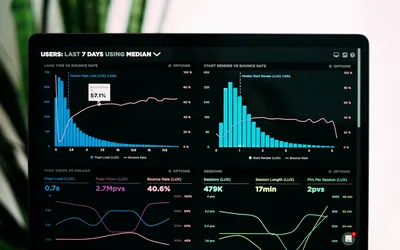

A website needs to communicate clearly and respond well. A beautiful page that is difficult to use is frustrating, but a fast page with missing service information is not much help either. Performance and design belong in the same review.
Measure your site before choosing a fix
Run the homepage and important service pages through PageSpeed Insights. Look at mobile and desktop separately. Keep the URL, date, and test conditions with your notes so the next comparison is meaningful.
The tool can show real-user data when enough is available, alongside a simulated Lighthouse test. These answer different questions. The test helps diagnose a page under particular conditions; field data reflects observed visits. A smaller site may not have enough field data for a report.
Understand the measurements
- Largest Contentful Paint: when the main visible content appears.
- Interaction to Next Paint: how quickly the page responds visually to user interactions.
- Cumulative Layout Shift: unexpected movement of page elements.
Google uses Core Web Vitals in its ranking systems, but good scores do not guarantee a high position. A Lighthouse score is not your search ranking. See Google's page experience explanation.
Investigate the largest obstacles
Images: check whether a small displayed photo downloads at its original camera size. Provide suitable image sizes and compression, and reserve space so the layout stays stable. Avoid delaying the main visible image with unnecessary lazy loading.
Scripts: review chat widgets, embeds, tracking, and animations. Measure their impact before removing something customers need. Plugin count alone does not tell you how much work a browser performs.
Server responses: distinguish a slow application from a slow connection or a large download. Hosting price alone cannot tell you which is responsible. Check logs, caching behavior, and uptime.
Test the customer journey
On a phone, find a service, open the menu, and complete a test inquiry. Use keyboard navigation too. Check that buttons respond, text stays readable, and form errors explain how to continue. A score cannot replace these checks.
Make one useful improvement at a time
Record the starting measurement, make the change, and repeat the test under similar conditions. Keep improvements that solve a measured problem. Avoid claims that a particular fix will double inquiries or halve loading time unless your own before-and-after data supports them.
If you are planning a new site, see our custom website design and development services. Performance is part of building a usable website, alongside content, navigation, and a clear way to contact you.
Planning a website for your business?
Work directly with Kyle to discuss your pages, design, and the features your site needs. Start with the service overview, then get in touch to talk about your project.
Explore Web Design Services