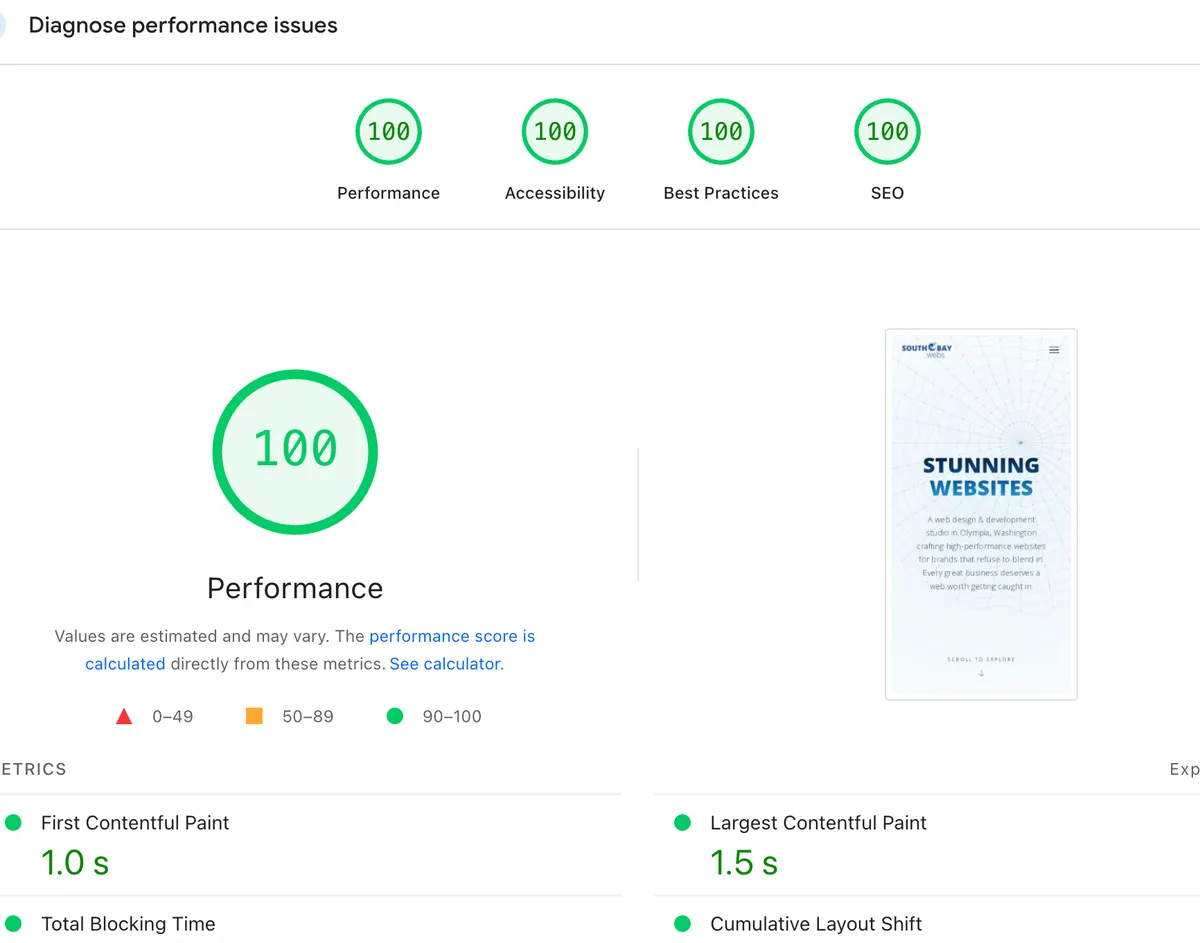
A PageSpeed Insights report can identify useful work, but its score needs context. Test results change with the page, device simulation, network conditions, and third-party resources. A past result is not a promise that every page will receive the same score today.
What the report helps you inspect
Use PageSpeed Insights to investigate loading and usability issues on a specific URL. Review the individual findings, not only the colored score. Some recommendations need judgment: removing a large image may save a download, but the image may also explain your product.
How this website is built
South Bay Webs uses Django and Wagtail to render its pages on the server. The homepage combines ordinary HTML content with styles, images, and JavaScript for interactions such as the portfolio carousel. This makes it possible to inspect the main page text in the server response.
That architecture does not automatically make the site fast. Image sizes, scripts, database responses, and hosting reliability still need attention. A WordPress site or a site built with a template also needs to be judged by its implementation, not its label.
A useful review routine
- Test the exact page customers use, on both mobile and desktop.
- Save the report with a date so it is clear what was measured.
- Investigate the largest reported obstacles and check them in the browser.
- Retest after a change and confirm the contact form and navigation still work.
For the difference between simulated tests and real-user measurements, read our website speed guide.
What a perfect score cannot prove
A score does not establish that a page answers a customer's question, that its business claims are accurate, or that it will rank above competitors. Google's page experience guidance describes performance as part of a broader picture.
We do not present an undated score as a current measurement. For your project, the useful goal is a site people can read, navigate, and contact you through, with measurements that help guide improvements.
Learn about our website design process and the questions we work through before a build begins.
Planning a website for your business?
Work directly with Kyle to discuss your pages, design, and the features your site needs. Start with the service overview, then get in touch to talk about your project.
Explore Web Design Services